

British IVR Voiceover for Phone Systems & On-Hold Messages
Your phone system is often the first real conversation a customer has with your business. Before they speak to anyone, they've heard a greeting, a menu and probably a few minutes of on-hold audio. If that voice sounds flat or robotic, it sets the tone for everything that follows.
I'm a British IVR voiceover artist from the North East of England, now based in Derbyshire. I record auto-attendant greetings, menu prompts, on-hold messages and voicemail for businesses that want callers to feel looked after from the first ring. The voice is warm and clear, which is what you want from something people will hear over and over again.
Why a Real Voice Works Better on Your Phone Line
Nobody rings a helpline hoping for a nice chat with the menu. They want to reach the right person quickly, and the recordings either help them do that or get in the way. A clear, friendly voice keeps callers calm and listening, so they're more likely to pick the right option first time rather than pressing zero and hoping for the best. That tends to mean fewer misrouted calls and less pressure on whoever eventually picks up.
Synthetic voices do have their place in a phone system. For reading out an account balance or a delivery date, text-to-speech does the job well enough and nobody expects much more. Your greeting, main menu and on-hold messages are a different matter. Callers often notice when those are synthetic, and they're the parts that shape how your business comes across. That's where a human voice earns its keep.
Neutral British, North East and Geordie Voiceover
My natural voice has a Northern warmth that callers tend to find easy to listen to. For national brands, or organisations with callers right across the UK and abroad, I can soften the accent to a more neutral British read. If you'd rather lean into the regional character, North East General, Teesside and Geordie are all on the table. That can suit a local business that wants callers to hear someone who sounds like they're from round the corner.
Who Uses IVR Voiceover?
Any organisation that handles a steady flow of calls can get something out of a professional phone system voice, but some callers need more from it than others.
People ringing their bank about a lost card or a payment they don't recognise are often anxious before the menu even starts. A calm and reassuring voice does a lot of quiet work there. Healthcare is much the same. Someone calling a GP surgery for an appointment or a test result often isn't feeling their best, and clear prompts make that call a little easier.
At the busier end of the scale, telecoms providers and utility companies handle huge call volumes where good routing saves everyone time. Councils and universities lean on menus to get callers to the right department first time. Smaller firms benefit too. A professional greeting and a simple two-option menu can make a five-person business sound well organised from the very first call.
IVR Recordings I Provide
Most businesses need a mix of recordings, and each one does a slightly different job.
The main auto-attendant greeting is the first thing a caller hears, so it needs to sound welcoming and confident. Out-of-hours messages pick up after closing time, letting people know when you're open and where they can get help in the meantime. Menu prompts and call routing messages are about clarity more than anything else. "For sales, press 1. For accounts, press 2" sounds simple enough, but a menu read too quickly or with the emphasis in the wrong place is how callers end up in the wrong queue.
Queue announcements keep people updated on their place in line or roughly how long they'll be waiting. Voicemail greetings cover individual extensions and general mailboxes, so the whole system sounds like it belongs together rather than half professional and half recorded on someone's mobile in the car park.
On-Hold Messages and Seasonal Updates
On-hold audio is the part of your phone system callers spend the most time with, so it's worth getting right. It's a good spot to answer common questions before they're asked, or to mention a service people might not know you offer.
Plenty of businesses refresh their on-hold messages each season or each quarter to keep up with current offers and opening times. After the first project, that becomes a quick job. Send the new script over and the updated files come back ready for your phone system administrator to load.
Keeping Every IVR Prompt Consistent
A full IVR set might be ten prompts for a small business or two hundred for a larger contact centre. Every one of them needs to sound like it came from the same person in the same frame of mind. Callers move from greeting to menu to queue message in a matter of seconds, so any jump in pace or tone stands out straight away.
I record the whole script list in one sitting wherever I can, checking back against the opening prompts as the session goes on. That keeps the delivery clear and steady without drifting into monotone, so it still sounds fresh the hundredth time someone hears it.
Things change, of course. A new department opens or the opening hours shift. Coming back to the same voice and the same studio setup makes it much easier for new prompts to slot in alongside the originals without anyone noticing the join.
IVR Audio Formats: WAV, A-law and μ-law
Radio ads, corporate videos and e-learning usually go out as a standard MP3 or WAV file. Phone systems are fussier.
Most VoIP and cloud-based systems want WAV files, typically 16-bit mono at 8kHz or 16kHz. Some ask for A-law or μ-law (sometimes written u-law) instead. They're telephone codecs that plenty of modern systems still use. A-law is the standard in the UK and Europe, and μ-law is mainly used in North America. Send a file in the wrong format and you'll get either an upload error or a recording that sounds muffled and tinny down the line.
I'll deliver your prompts in whatever format your system takes, with each file named to match your script list. That way whoever looks after your phones can load them without any guesswork. If you're not sure what format you need, they should be able to tell you. If they can't, get in touch and we'll work it out together.
| Format | Typical spec | Where it's used |
|---|---|---|
| WAV | 16-bit mono, 8kHz or 16kHz | Most VoIP and cloud-based phone systems |
| A-law | Telephone codec | The standard in the UK and Europe |
| μ-law (u-law) | Telephone codec | Mainly North America |
Broadcast-Quality Studio and Remote Sessions
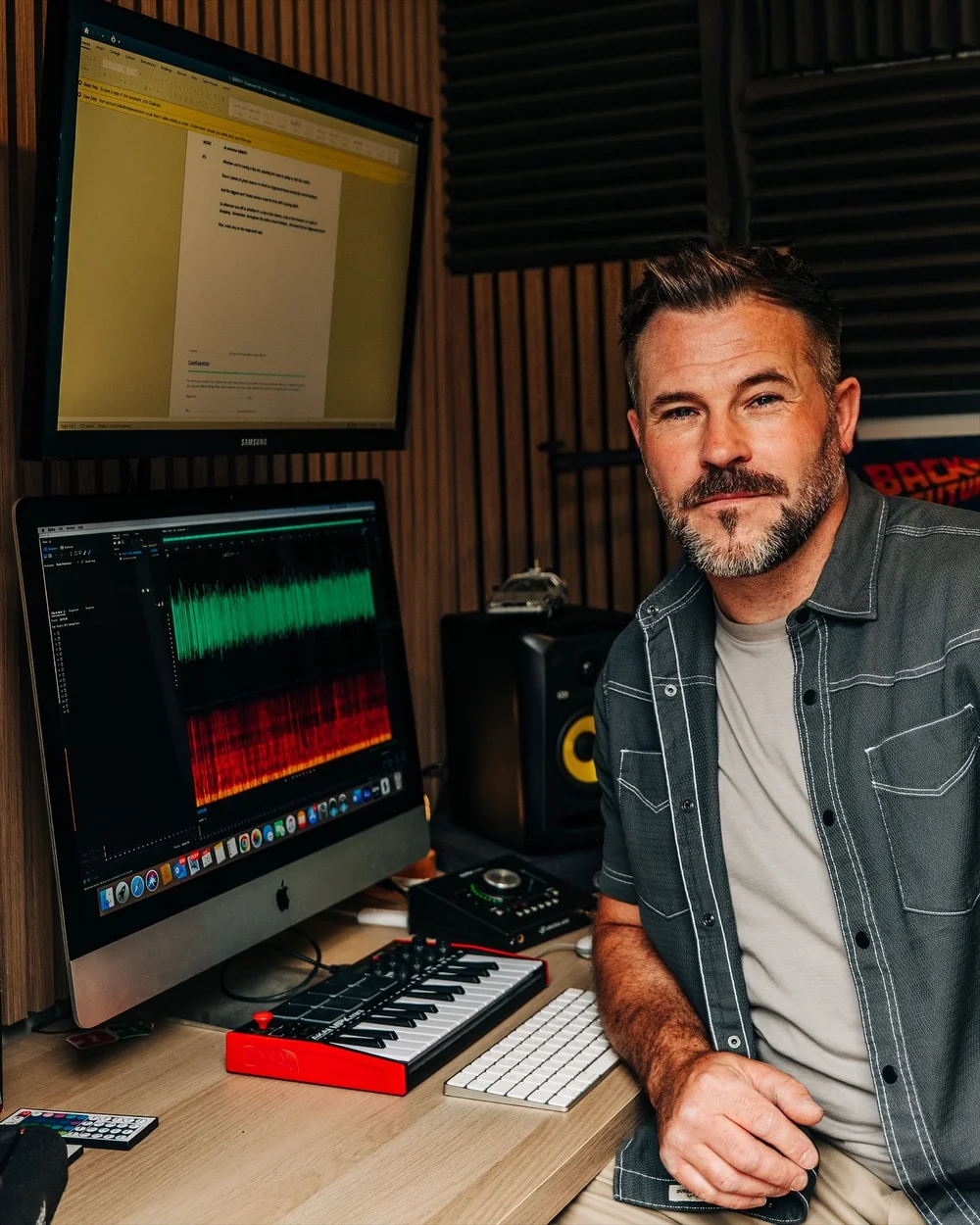
Everything is recorded in my fully treated home studio, using a Neumann TLM103 mic, Apollo Twin interface and GIK acoustic treatment. Telephone audio already strips out a lot of detail, so the cleaner the original recording, the better it holds up once it's playing down a phone line.
If you'd like to direct the session yourself, I can connect via Source Connect, Cleanfeed or Zoom. Lots of IVR clients would rather not sit in, and that's fine. Send the script list with a few notes and I'll direct myself from those, then send the finished files back.
What to Prepare Before Your IVR Session
A little preparation makes the session quicker and saves revisions later on. The most useful thing you can send is a complete, proofread script list with every prompt numbered in a single document, along with the audio format your system needs if you know it.
Pronunciation notes are worth adding for company, product and staff names, so nothing needs re-recording once the files are live. A line on the tone you're after helps too, whether that's formal and reassuring or more relaxed and friendly. Don't worry if you haven't got all of this pinned down yet. A rough draft of the script is enough to get the conversation started.
How IVR Pricing Works
Pricing for IVR work depends mostly on the number of prompts, the length of the script and how the recordings will be used. A handful of greetings for a small business is priced very differently to a full contact centre script list, so each job is quoted on its own. Send over what you've got and I'll come back with a clear quote.
Get a Demo Read for Your Phone System
The quickest way to know whether the voice suits your business is to hear it. Send me your main greeting or a few of your menu prompts and I'll record a demo read, usually the same day.
Email hello@timleevoiceover.co.uk, call 07871911877 or use the contact form to share your script list.
Let's make your phone system sound like there's a real person behind it.